discord-mcbe
日本語 | English
discord-mcbe



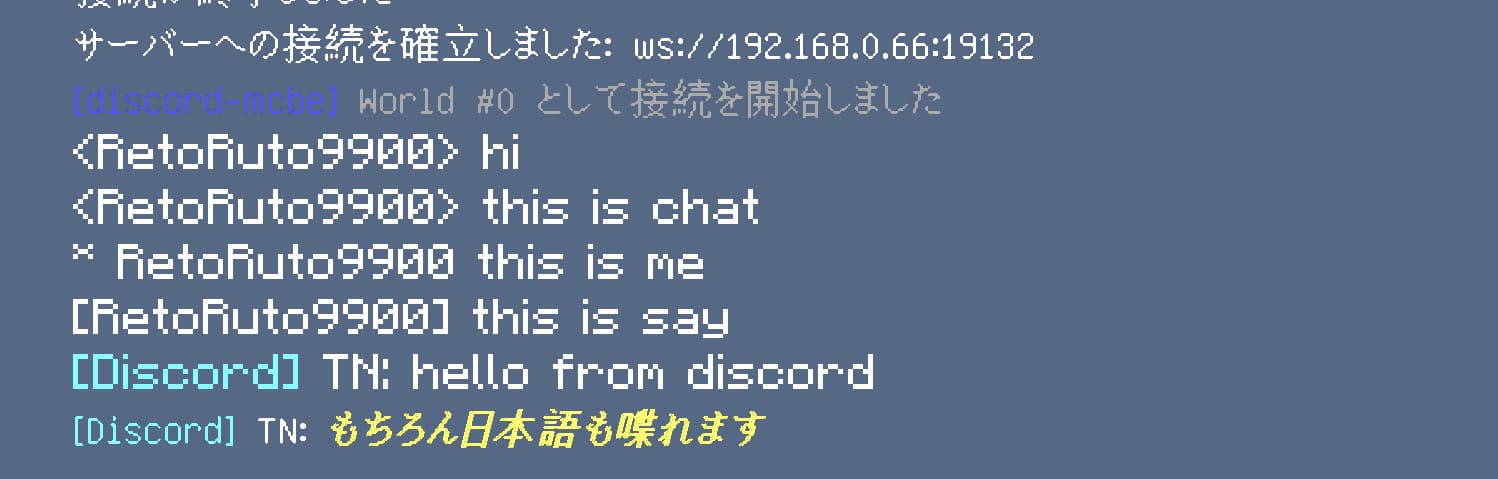
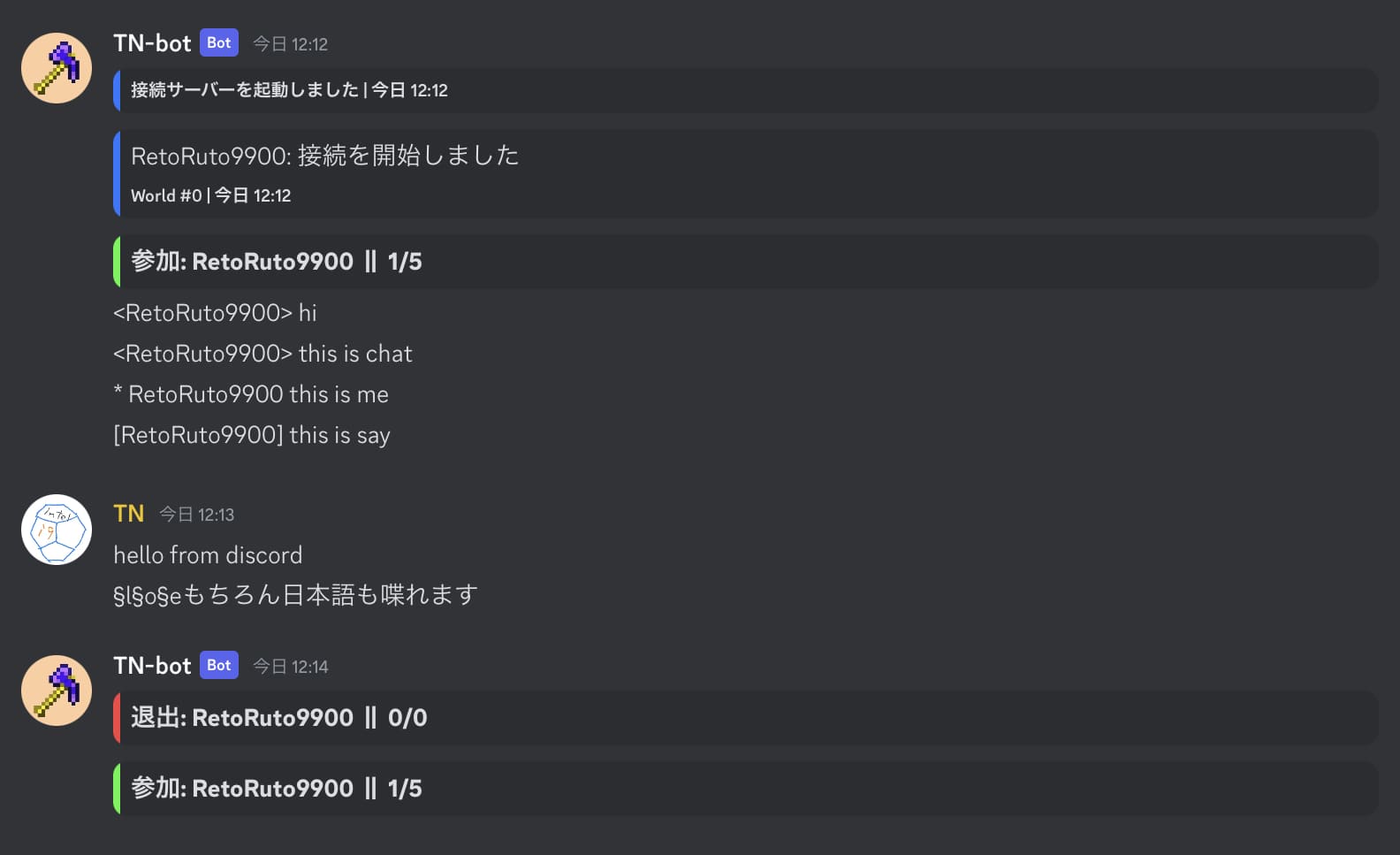
This is a discord bot that can connect discord and chat on MinecraftBE.
https://youtu.be/BEv4oozeQKU
Environments
- Windows PC(basically)
- Only available on MinecraftBE single/multiplayer world. You can't use this on servers like BDS
- You need to connect as world's host
Installation
Install Nodejs
Requires v18 or more
https://nodejs.org/en/
Make a bot account
You need discord bot account, prepare that.
Edit config
Download latest oneand unzip it, or clone this repo.
open config.jsonc in that and edit values you need to change in that
Config descriptions are here
Run
Note: Make sure that
Require Encrypted Websocketsis off in Minecraft settings
Note: Allow loopback connection if you use this on PC [Details]
Run start.cmd to start the server
Next on Minecraft side
/connect [LocalIP]:[PORT]
/connect localhost:[PORT] (on same device)
Run this command and you can establish connection
List of commands
-
/help
Show a help message of this bot -
/ping
Shows the bot and worlds response time -
/list
Shows player list -
/command
[world]
Sends a command to worlds.
Details -
/tell
Sends a message with tell. The message will not be seen by others -
/panel get
Gets the channel the status panel is shown
Details -
/panel set
Sets the channel to show the status panel -
/panel delete
Deletes the status panel
Allow loopback
Communication within the same PC may require some configurations.
Run this command on command prompt(cmd.exe) as an Administrator
CheckNetIsolation LoopbackExempt -a -n="Microsoft.MinecraftUWP_8wekyb3d8bbwe"
or you can run loopback.cmd (same commands here)
Config
(Required)
discord_token: The token of the botguild_id: ID of the guild that uses this botchannel_id: ID of the channel to send messages
(Optional)
port: The port to use websocket connectionlanguage: Language, the name of file in lang foldertimezone: Timezone used to display the timecommand_role_id: ID of the role that allows sending commands to Minecraft Array of string. (EX:[ "RoleID1", "RoleID2",... ])ready_message: Sends a message when the server(bot) startsdelete_color_prefix: Remove § and the following characterpanel_update_interval: Update interval of status panel(ms)scripts_entry: The entrypoint of scriptscommand_version: The version of command to senddebug: Enables debug logstyles_tnac: Highlights messages from TN-AntiCheat
Other features
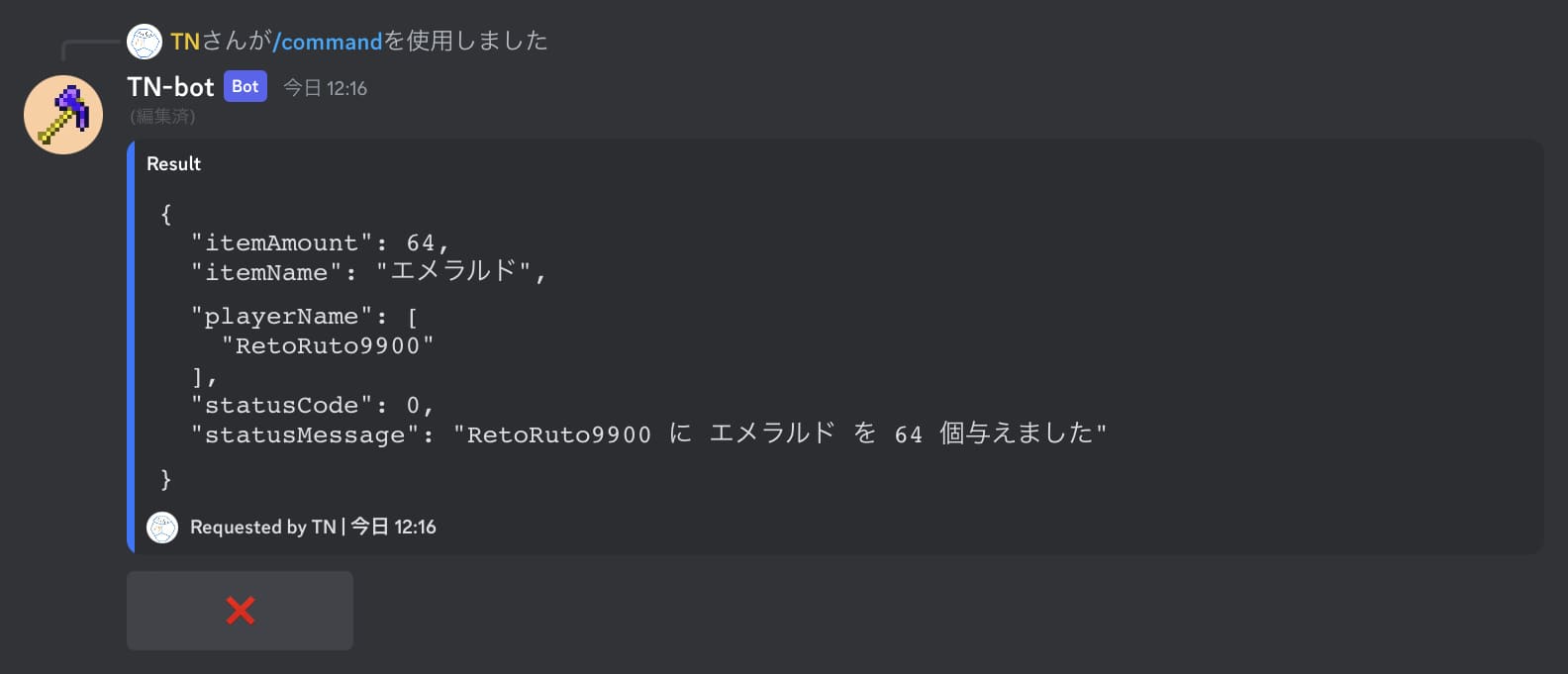
Run commands
You can send commands to worlds by /command <command> or /<command>
Create a role and put the role ID to config command_role_id to get permission
Status panel
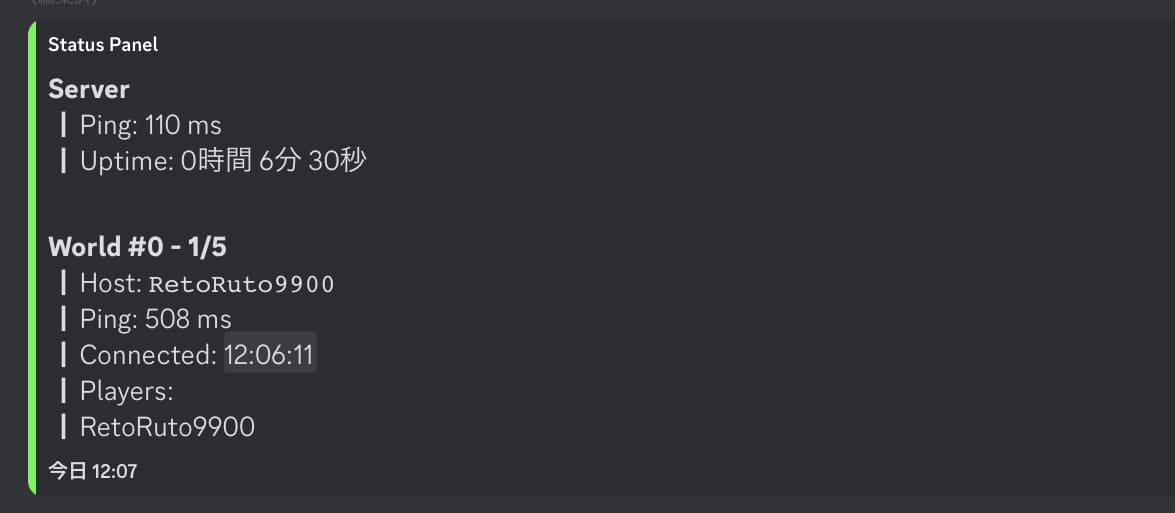
A panel that shows ping and players in worlds
Run /panel set to set up the panel
Console
You can send commands in console. You can execute code by eval if the message starts with "."
Custom scripts
You can custom websocket server and discord bot.
There is an example script in scripts/index.js. The server is SocketBE's Server instance. See SocketBE Page to get more information.
The file set in config scripts_entry is automatically loaded.
Contributing & Translation
Please send PR or Issue if you have any bugs or improvements!
This bot supports multiple languages. You can make it support other languages by editing the translation files (lang/*.lang, src/interactions/_localizations.json)
※The language key in _localization.json must follow DiscordAPI
License
MIT License